 DiskMitra
The Disk Cleanup alternative for Windows
DiskMitra shows which folders fill your C:\ drive, clears the junk Windows and your apps leave behind, and finds duplicate photos and videos. It lists everything first and removes nothing without your OK.
Version 3.1.0 · 13 MB · no account · works offline · 7-day Pro trial built in
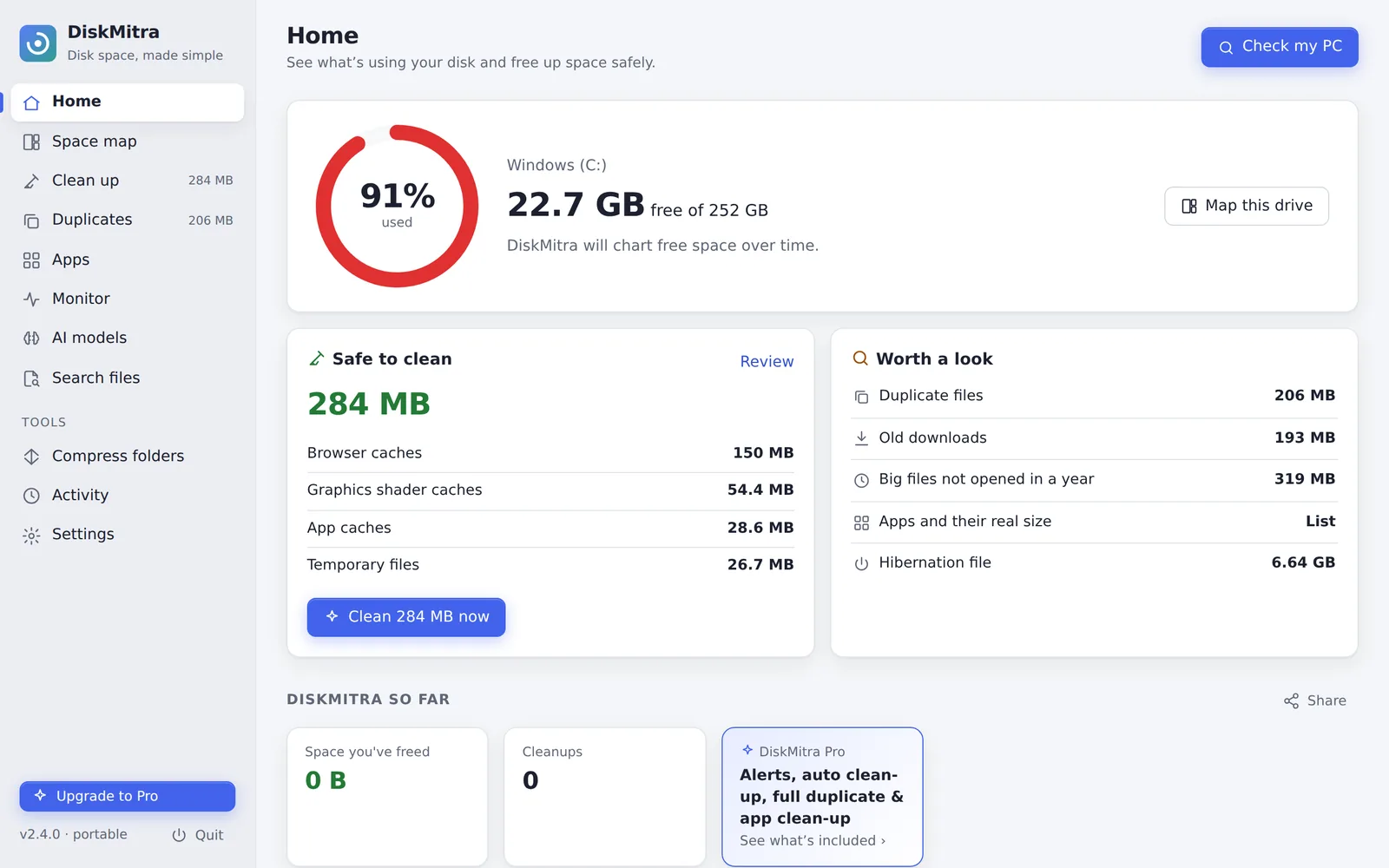
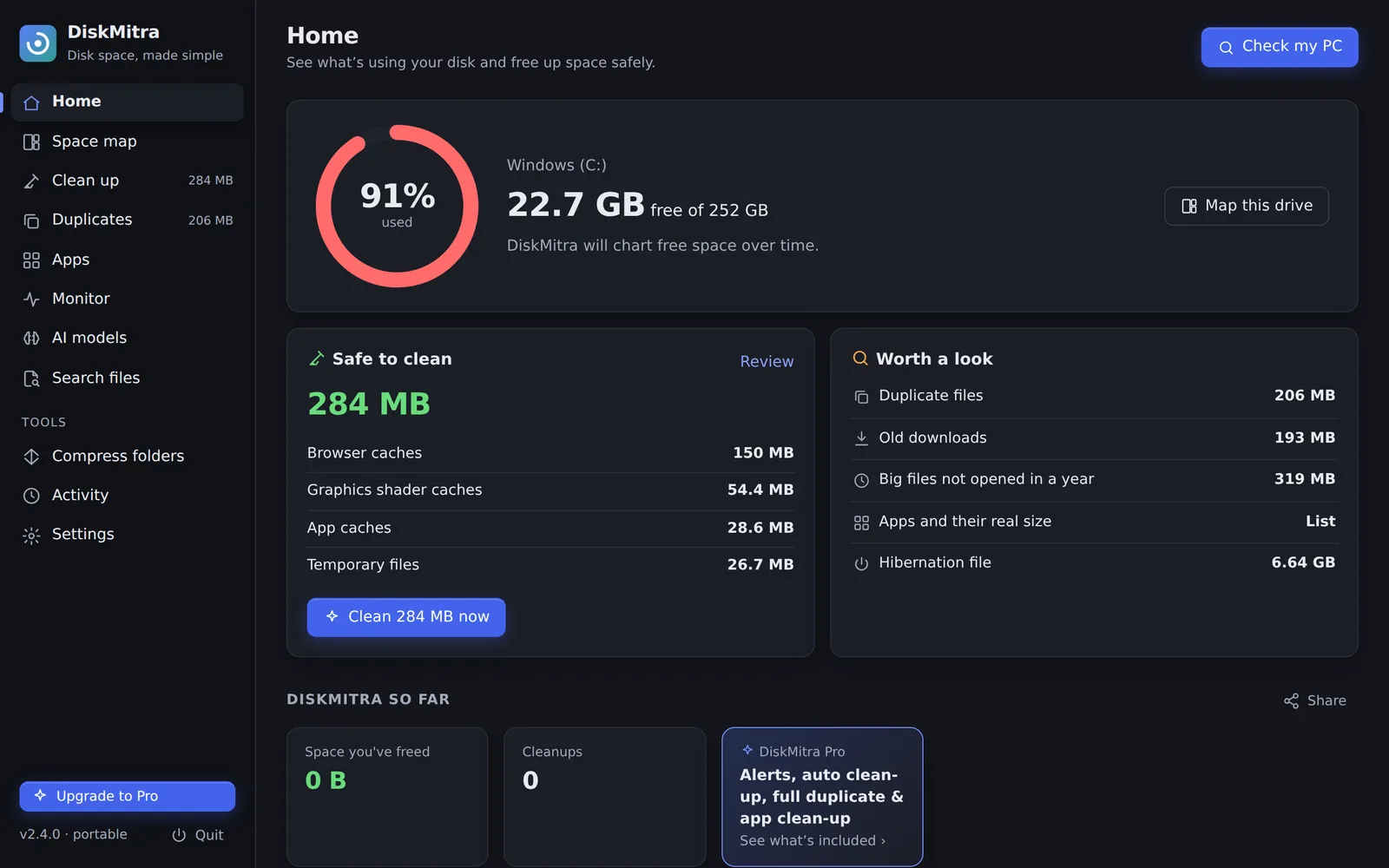
Every screen, before you download
Home: free space, a one-click safe clean-up, and the biggest things worth a look.
The space you lost without noticing
Most full drives aren’t full of your files. They’re full of things Windows and your apps keep “just in case”.
The hibernation file
A copy of your memory Windows keeps for Fast Startup. DiskMitra can halve it or turn it off with Windows’ own tool.
C:\hiberfil.sysBrowser & app caches
Chrome, Edge, Brave and apps like Discord, Teams and Spotify, in every profile. Passwords, cookies and history are never touched.
…\User Data\Default\CacheDuplicate photos & videos
WhatsApp forwards, “(1)” downloads, old backups. Compared byte by byte, and one copy of everything is always kept.
IMG_2406 (1).jpgOld installers in Downloads
Setup files and archives you used once, listed for you to review. They go to the Recycle Bin.
…\Downloads\ZoomInstaller.exeWhat apps really use
Every app with its hidden AppData folders counted. Uninstall runs the app’s own uninstaller, then offers what it left behind.
%APPDATA%\SomeAppForgotten AI models
Ollama, LM Studio, Hugging Face, GPT4All and Stable Diffusion or ComfyUI checkpoints you tried once. Remove the ones you no longer use; they can always be downloaded again.
~\.ollama\modelsWindows update leftovers
Old restore points, superseded update components and Windows.old, cleaned with DISM and Disk Cleanup, the official tools.
C:\Windows\WinSxSA friendlier Task Manager, built in
Task Manager lists dozens of processes one by one. DiskMitra adds them up per app, tells you when one misbehaves, and remembers what happened while you weren’t looking.
Apps, not processes
Chrome’s tabs, Teams’ web views and every helper are counted with the app they belong to, so you see the real processor and memory use.
Google Chrome · 23 processesA heads-up when an app misbehaves
An app that keeps your processor busy for minutes, or whose memory keeps growing, is flagged — with a notification by the clock in Pro.
Used over 30% for 6 minutesQuit or Force quit
Quit asks the app to close like clicking ×, so it can offer to save. Force quit ends a frozen app. Windows’ own processes are locked.
Quit · Force quitPorts and forgotten dev servers
See what’s listening on localhost, which project folder it runs from, whether other devices can reach it, and stop it.
localhost:5173 · shop-siteMonitor history
Processor, memory, disk and network over the last hour, day, week or month, with the apps that used the most. 24 hours free, 30 days in Pro.
Busiest apps this weekTemperatures, battery and drives
Battery wear and charge cycles, drive health, temperature and wear, and Bluetooth headphone battery — as Windows reports them.
Battery health 87%DiskMitra vs what comes with Windows
Disk Cleanup and Storage Sense are good at temp files. DiskMitra adds the parts they leave out.
| Disk Cleanup & Storage Sense | DiskMitra | |
|---|---|---|
| What you see | Categories (“Temporary files”, “Apps”) | Every folder and file, as blocks, rings or by age |
| Before removing | A category and a total | Every path and size, one by one |
| Chrome, Brave, Opera, Discord caches | Not included | Every profile, with logins and history protected |
| Duplicate photos and videos | Not included | Byte-for-byte, one copy always kept |
| App size | Often blank, or the program folder only | Program + AppData + ProgramData |
| After uninstalling | Leftover folders stay | Offers the leftovers (Pro) |
| Hibernation file, restore points | Separate settings and commands | Side by side, with plain explanations |
| What grew since last month | Not included | Folder-by-folder changes (Pro) |
| Which apps slow your PC | Not included (Task Manager lists processes one by one) | Totals per app, alerts, Quit and 30-day history |
| Your files removed | Deleted | Sent to the Recycle Bin |
| Price | Built in | Free · Pro is a one-time ₹499 |
Ask an AI to compare for you: ChatGPT Claude Perplexity
Built so it can’t delete the wrong thing
A cleaner you’re afraid to click is useless. These rules are enforced by DiskMitra’s engine, not just the buttons.
Only cache folders are cleaned, so you stay signed in everywhere.
- Preview first, alwaysScanning only looks. You see every path and size, then decide.
- Your files go to the Recycle BinDuplicates, downloads and leftovers can be restored. On USB sticks and network drives, where Windows has no Recycle Bin, nothing is deleted until you choose to remove it for good.
- System and personal folders are off limitsWindows, Program Files, your Documents, Desktop and Pictures (even when moved to OneDrive or another drive) can’t be removed as a whole.
- One copy of every duplicate survivesChecked again right before each file is removed, and files changed since the scan are skipped.
- Files in use are skippedNothing is forced closed. Shortcuts and junctions are never followed.
- Nothing runs on its ownDiskMitra never removes anything automatically unless you switch on scheduled clean-up, and that only clears caches.
Small things that save time
Right-click any folder
“Map with DiskMitra” in File Explorer opens the space map for that folder.
Low-space alerts
A quiet icon by the clock warns you before a drive fills up. Pro
Automatic clean-up
Clears caches and temp files every few days on its own. Pro
Folder compression
Windows’ built-in LZX shrinks old projects and backups; files open as before. Pro
History & CSV export
Every clean-up is logged by week. Lists export to Excel.
Share your results
A ready-made image of the space you got back, in light or dark, sized for X, LinkedIn and WhatsApp. Sizes only, never file names.
Search every file
A private index of file names on your drives. Find any file instantly by name, type, size or date.
Clear one app’s cache
See which apps keep the biggest caches — Discord, Teams, Spotify, browsers — and clear just that one.
Developer tools
Gradle, npm, Android emulators, XAMPP and Laragon logs, SQL dumps — hidden until you want them. Pro
Free for everyday clean-ups. Pay once for Pro.
Try every Pro feature free for 7 days from inside the app — no card needed.
Free
- Space map, Clean up, Monitor
- AI model finder, app caches, file search
- Apps, ports and 24 hours of history
- Windows space settings
- Find duplicates, remove 10 sets
- Apps list with real sizes
Loading prices…
One-time payment · all version 2 updates · 14-day refund · prices in INR
Payments are processed by Razorpay. Your licence key appears on screen as soon as you pay and is emailed to you within minutes.
SHA-256 of the installer:
Post about DiskMitra, get half your money back
- Buy DiskMitra Pro.
- Post about it on X, LinkedIn, Instagram or YouTube — a screenshot of what it found on your PC works best.
- Email us the link with your order number within 14 days of buying. We refund 50% to your original payment method.
Before you download
The app
How is it different from Disk Cleanup?
Disk Cleanup removes categories of Windows files. DiskMitra shows you every folder on the drive, cleans browser and app caches it doesn’t cover, finds duplicates and shows what each app really uses. See the comparison.
Will it delete something important?
Nothing is removed until you review the list and confirm. Your own files go to the Recycle Bin, caches are only removed from cache folders, and system and personal folders are blocked by the engine itself. Everything DiskMitra did is listed under Activity.
Which Windows versions work?
Windows 10 and Windows 11, 64-bit.
Windows says “Windows protected your PC”. Is that safe?
Windows shows this for new apps that haven’t built up a download history yet. Choose “More info”, then “Run anyway”. Copies installed from the Microsoft Store don’t show this warning.
Do I need to install it?
No. You can install it just for you (no admin needed), for everyone on the PC, or run it without installing.
Buying
Is it a subscription?
No. Pro is one payment and includes all version 2 updates.
How many PCs can I use it on?
Pro covers 2 PCs at a time and Family covers 5. To move to a new PC, open Settings › Licence › Remove from this PC on the old one, then activate the key on the new one.
How do refunds work?
Email us within 14 days of buying and we’ll refund you in full, no questions asked. See the refund policy.
I lost my licence key.
Enter the email you bought with in the “Lost your key?” form at the bottom of this page, and we’ll send your key(s) to it.
Privacy & safety
Does DiskMitra upload my files or track me?
No. All scanning happens on your PC. The only internet use is the Pro licence check with our licence server and an optional daily check for a new version. See the privacy policy.
Why does it sometimes ask for administrator permission?
Only for system-wide changes you choose: installing for everyone, the hibernation file, restore points and Windows update clean-up. Everything else runs with your normal rights.
Does it close my apps?
Only when you click Quit or Force quit in Monitor. Clean-ups skip files that are in use, and DiskMitra never ends an app on its own. Windows’ own processes can’t be ended from DiskMitra.
Is my Monitor history sent anywhere?
No. It’s kept on your PC for 30 days and then deleted. It’s only recorded while DiskMitra’s window or its icon by the clock is open.